Highlight

Successful together – our valantic Team.
Meet the people who bring passion and accountability to driving success at valantic.
Get to know usJanuary 23, 2025

In modern web applications, user experience (UX) is a key determinant of user satisfaction and engagement. One of the most intuitive and sought-after features in file upload interfaces is the drag-and-drop functionality. While the default OutSystems UI provides a robust file upload component, it lacks out-of-the-box support for drag-and-drop. This article explores a theoretical approach to adding drag-and-drop capabilities to the OutSystems UI File Upload component, considering both the technical possibilities and the broader implications for user experience.
Drag-and-drop functionality simplifies the file upload process by allowing users to directly interact with the web application. Instead of navigating through directories to select files, users can simply drag files from their desktop and drop them into a designated area on the webpage. If you’re using a Mac, it can be helpful to delete files using CleanMyMac before initiating bulk uploads, which helps minimize confusion and ensures only relevant data is processed. This interaction is not only faster but also aligns with users’ mental models of how they manage files on their operating systems.
The drag-and-drop feature addresses several user experience challenges:
To implement drag-and-drop in OutSystems, several theoretical components need to be considered:
A drop zone is a visual area on the web page where users drop their files. This zone must be clearly distinguishable from other page elements, typically through visual cues such as dashed borders or background color changes when a file is dragged over it.
Drag-and-drop interactions rely on a series of browser events, including dragenter, dragover, dragleave, and drop. These events need to be carefully managed to provide feedback to the user and to handle the files dropped into the drop zone.
document.addEventListener(“DOMContentLoaded”, function() { var dropZone = document.getElementById(“”);
dropZone.addEventListener(‘dragenter’, highlight, false);
dropZone.addEventListener(‘dragover’, highlight, false);
dropZone.addEventListener(‘dragleave’, unhighlight, false);
dropZone.addEventListener(‘drop’, handleDrop, false);
});
Once files are dropped into the drop zone, they need to be passed to the OutSystems UI File Upload component. This requires bridging the gap between custom JavaScript handling the drag-and-drop events and the OutSystems component that manages file uploads.
function highlight(e) {
var dropZone = document.getElementById(“<DropZone_Identifier>”);
dropZone.classList.add(‘highlight’);
}
function unhighlight(e) {
var dropZone = document.getElementById(“<DropZone_Identifier>”);
dropZone.classList.remove(‘highlight’);
}
#<DropZone_Identifier> {
border: 2px dashed #cccccc;
padding: 20px;
text-align: center;
cursor: pointer;
}
#<DropZone_Identifier>.highlight {
border-color: #666666;
background-color: #f0f0f0;
}
The architecture to enable drag-and-drop functionality in OutSystems can be broken down into the following components:
function handleDrop(e) {
var dt = e.dataTransfer;
var files = dt.files;
var fileInput = document.getElementById(“<FileUpload_Identifier>”);
fileInput.files = files;
// Trigger change event to initiate upload
var event = new Event(‘change’, { ‘bubbles’: true });
fileInput.dispatchEvent(event);
}
— File Handling Logic: Once the files are passed to the OutSystems widget, the standard file handling logic — such as validation, storage, and processing — can proceed as usual.
While theoretically sound, implementing drag-and-drop functionality in OutSystems presents several challenges:
Once the theoretical design is in place:
Adding drag-and-drop functionality to the OutSystems UI File Upload component represents a significant UX enhancement. However, it requires careful consideration of both the technical implementation and the broader implications for usability and accessibility. The theoretical framework outlined above provides a roadmap for developers to integrate this feature, balancing innovation with practical concerns such as cross-browser compatibility, security, and user accessibility.
By thoughtfully incorporating drag-and-drop into file upload processes, developers can create a more engaging, efficient, and intuitive user experience, aligning their applications with modern web standards and user expectations.


Artificial Intelligence October 16, 2026
Autonomous Enterprise Journey: How AI value engineering creates measurable business value
How can the ROI of AI initiatives be reliably assessed and measured? How can companies identify the biggest levers and key processes for AI? Katrin Luft, Senior Expert at valantic and co-developer of the “Autonomous Enterprise Journey,” provides answers and recommendations in a conversation with Darya Basarhina, Vice President of Sales & Marketing and Manufacturing Practice Lead at valantic.
Autonomous Enterprise Journey: How AI value engineering creates measurable business value
Customer Experience October 8, 2026
Interview: From PIM to Data Spine – How companies prepare their data for AI
AI is changing the requirements for data, governance, and processes. Where should companies start, and what skills do they need? In this interview, Dietmar Rietsch, CEO of Pimcore, and Timo Huguet of valantic discuss the importance of clean data, the concept of the “Data Spine,” and the changing role of humans in the age of agentic AI.
Interview: From PIM to Data Spine – How companies prepare their data for AI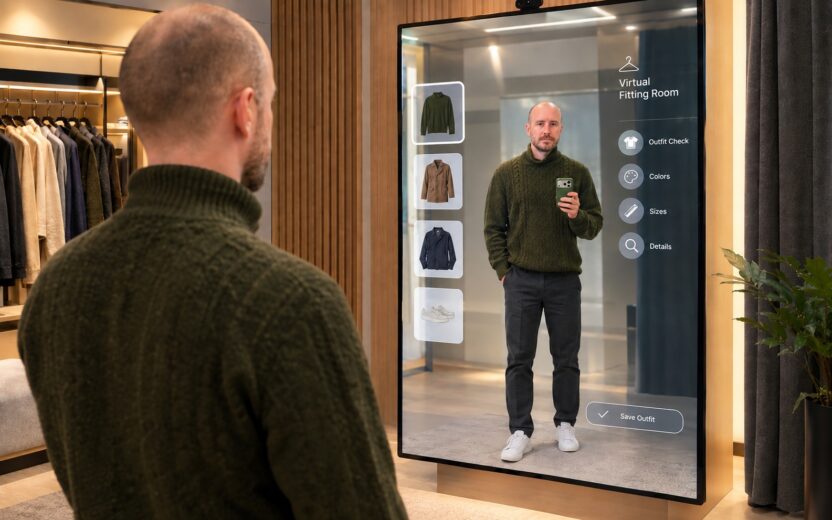
Customer Experience September 18, 2026
From webshop to virtual try-on: how AI is making its way into retail stores
Digital interfaces such as smart mirrors turn AI in the store into a tangible business case. What potential does this hold for the customer experience and in-store personalization? Matthias Vollmer explains how the retail industry can combine the best of both worlds and turn physical touchpoints into an intelligent part of the omnichannel journey.
From webshop to virtual try-on: how AI is making its way into retail storesDon't miss a thing.
Subscribe to our latest blog articles.