Highlight

Successful together – our valantic Team.
Meet the people who bring passion and accountability to driving success at valantic.
Get to know usFlexible. Transparent. Secure.
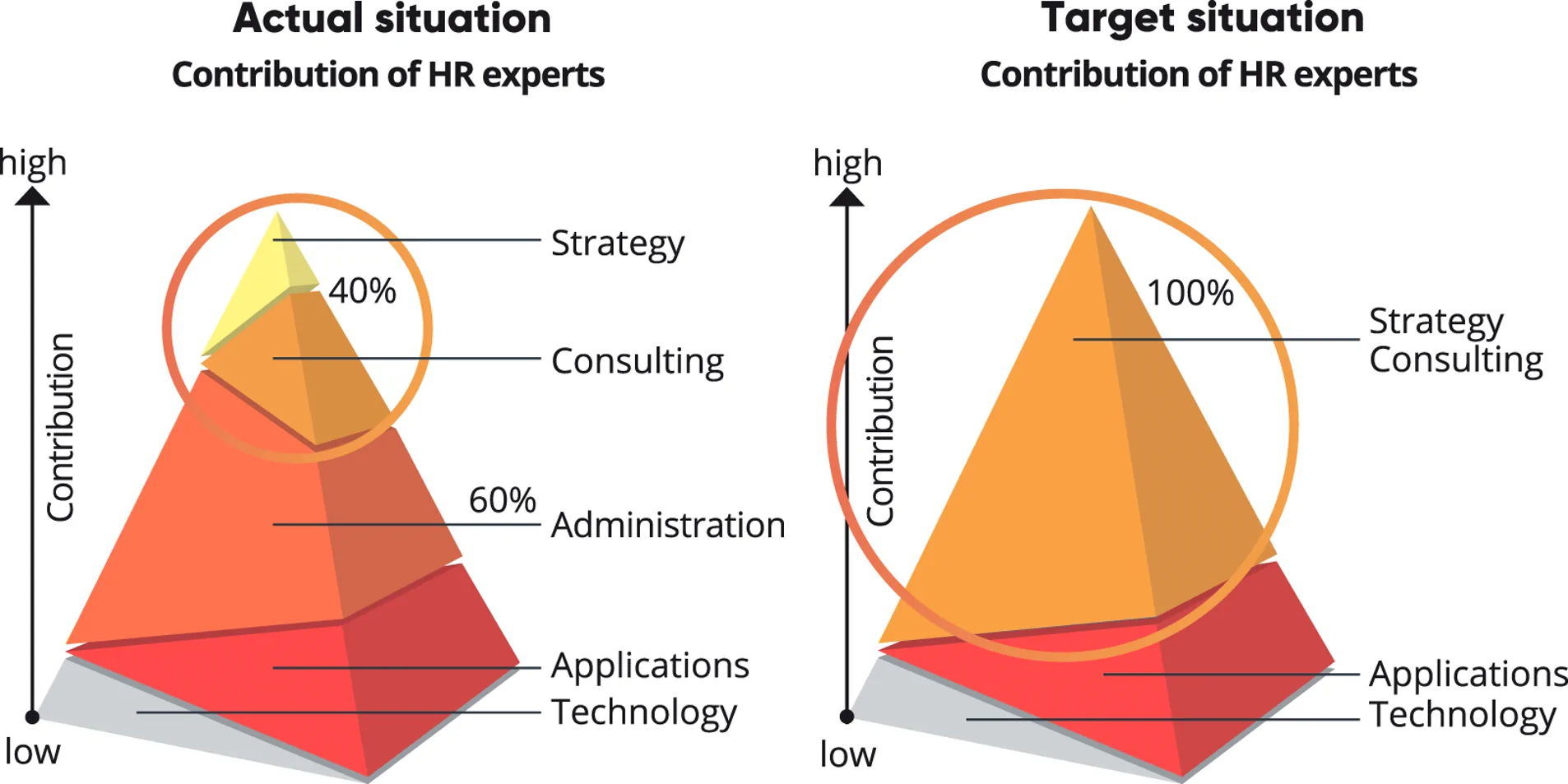
Multifaceted changes present new challenges for HR work: The digital transformation, artificial intelligence and people analytics, the skilled labor shortage, and demographic change will determine the future of the working world.

The challenge of daily HR work is to attune state-of-the-art HR management and administrative tasks, data, HR systems, and processes of daily operation perfectly to one another and integrate them optimally. The challenging task is to achieve a perfect balance between using state-of-the-art technologies, and optimized processes and providing transparent services for a company’s own employees, on through to identifying the optimal use of data to establish the company’s future in the long term. The fulfillment of legal, wage, and operational requirements and adherence to data protection are not a requirement, but a matter of course – if possible at foreseeable, fair, and transparent costs. HCM Inside supports you in realigning, digitalizing and simplifying your SAP time management.
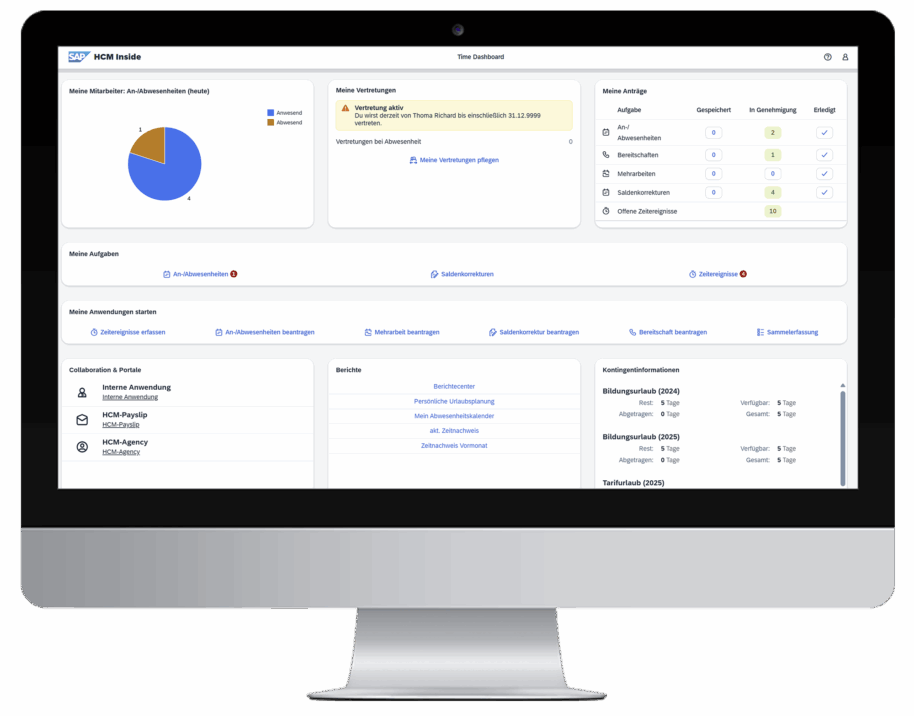
HCM Inside has all the necessary functions for using time management in the Fiori app:
Time management
Easily record check-in and check-out times via the Fiori app.
Attendances/ absences
Many attendances/absences can be requested via the Fiori app, for example holidays, tariff bonus or a business trip.
Overtime
Requesting necessary overtime for yourself or employees workflow-controlled via the Fiori app, even retroactively.
Time shifts
Request payment/rebooking of flexitime credits for yourself or employees workflow-controlled via the Fiori app.
On-call duty
Apply for on-call duty, e.g. on Saturdays or Sundays, for yourself or employees workflow-controlled via the Fiori app.
Additional working time management functions for a further overview and analyses:
Information for managers
Complete overview of birthdays, anniversaries, balances, and employees’ time cards.
Department calendar
Maintain an overview of all absences on your team or all employees of your company.
Analysis reports
Detailed analysis options, e.g. time sheets, balance overviews, A1 certificates or customised reports.
Task management
Simple, efficient and fast processing of incoming tasks for the respective ESS/MSS processes.
Applications
An informative overview of all applications and their status at all times.
Substitute function
Set up substitution rules for absences, e.g. holidays, illness, etc
Fiori Launchpad
The HCM Inside Fiori Launchpad provides a real-time view of all important data from SAP time management. It can also be seamlessly integrated into an existing Fiori landscape.
Time management
Record missing time events, presences and absences, overtime, and time rebookings easily in HCM Inside.
Information for managers
Complete overview of birthdays, anniversaries, balances, and employees’ time cards.
Department calendar
Maintain an overview of all absences on your team or all employees of your company.
Evaluations
Use the detailed evaluation possibilities to display time cards, proof of compensation or balances for your employees.
Your tasks
Use HCM Inside to perform tasks easily, efficiently, and quickly using the appropriate ESS/MSS processes.
Your applications
Receive a meaningful overview of all of your applications and their status.
Delegation function
In a flash you can set up delegation for your employees for absences due to vacation, illness, etc.
SMART mobile components
Use your PC, notebook, tablet or smartphone to perform your tasks – HCM Inside adjusts to your end user devices automatically.
HCM Inside
Learn more about how you can get the maximum benefit and added value from your SAP time management with HCM Inside!
Increase the benefits of your SAP HCM system!
From entry of and application for presence and absences, overtime, rebookings, and access, on through to approval and the creation of evaluations and time cards via ESS/MSS scenarios; HCM Inside offers workflow-based, transparent, efficient processes for your SAP HCM system. The synchronous data interface to SAP Time management (PT) provides you with a view of all SAP time management data in real time.
Individually configurable
HCM Inside can be configured according to your specific requirements and thus adapted easily to your company’s needs.
HCM Inside Fiori Launchpad
Company-wide provision of time management processes to all employees via the HCM Inside Fiori Launchpad.
Revision-proof data storage
Save the complete workflow and approval process so they are revision-proof and data security is assured in your document management system, e.g. SAP Archive.
Save time and money
HCM Inside includes all important time management processes in a Fiori app and helps with the digital transformation of HR processes. Reduce administrative activities and throughput times and achieve significant cost savings.
Keep data up-to-date
The synchronous data interface to SAP time management ensures access to your master data in real time.
Environmentally friendly
Environmental protection is important to us – so we prevent unnecessary printing of your forms.
With HCM Inside, you will take an important step toward the digital transformation of your company. While previously many activities were controlled by paper applications at your company, by using digital ESS/MSS processes in the HCM Inside web portal, you can optimize your paper-based business processes for the long term.
Allow your employees to enter their applications and tasks themselves at any time on their PC, notebook or mobile devices such as smartphones, tablets, etc.
The manager is informed of the request by email and can process, reject or approve it online. This completely eliminates errors that can occur due to media disruptions, e.g. typing or calculation errors, when manually transferring data from the paper application. All requests submitted via the ESS/MSS process, together with the respective process status, can be viewed by the requester and/or approver at any time in your SAP time management system. The current time statement and various evaluations can be called up by the employee or manager at any time.
Of course, employees without access to the HCM Inside Fiori Launchpad can also enter requests on behalf of their manager, the time administrators or the secretariat.
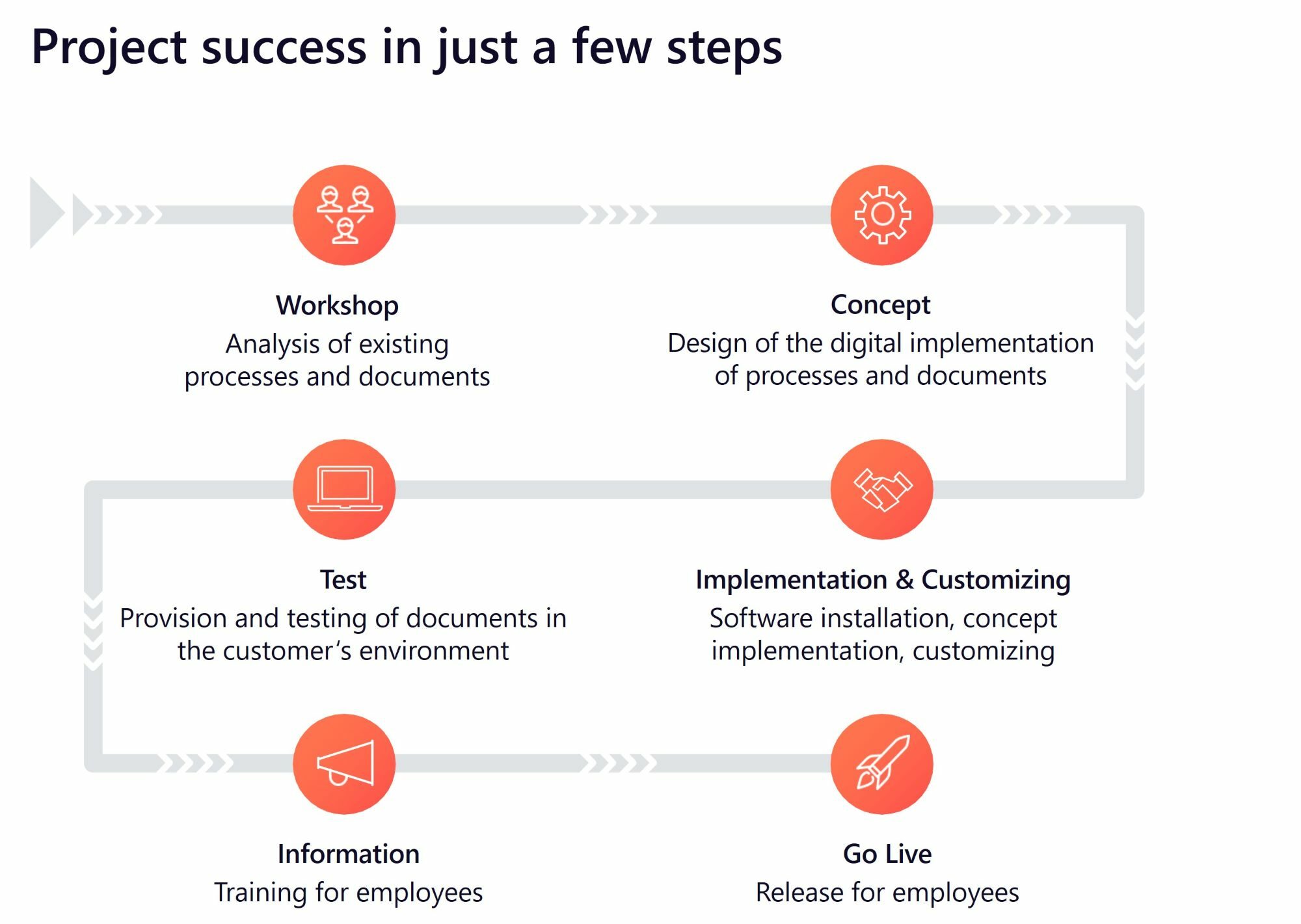
The implementation of HCM Inside follows clearly defined and customized project steps.
In an initial kickoff workshop with valantic experts and customers, the existing status is analyzed and the project is structured in a concept. In accordance with this concept, the software is installed and customized as defined. This is followed by tests in the customer environment and the training of key users, even before HCM Inside goes live. The valantic experts are also available afterwards for further questions as well as customizations or extensions.
HCM Inside provides you with the following standard scenarios:
Digital time management refers to the use of digital technologies and software solutions to record, manage and analyze working times and resources in companies. It enables efficient planning and control of work processes.
Digital time management enables companies to increase productivity, reduce costs, ensure compliance with working time regulations and increase transparency in the recording of working time. It enables better resource planning.
There are various software solutions and tools that can be used for digital time management, including time recording software, project management tools, HR management systems and mobile apps for time management.
Data security and data protection are essential, as sensitive employee data must be protected. Time management software uses advanced security and access protection measures to ensure data protection.
Yes, many tools also offer the option of recording and managing your working hours from mobile devices. This is particularly useful for sales representatives or companies with flexible working models.
HCM Inside
Learn more about how you can get the maximum benefit and added value from your SAP time management with HCM Inside!